> For the complete documentation index, see [llms.txt](https://help.stringeex.com/stringeex-tong-dai-cham-soc-and-quan-ly-khach-hang/llms.txt). Markdown versions of documentation pages are available by appending `.md` to page URLs; this page is available as [Markdown](https://help.stringeex.com/stringeex-tong-dai-cham-soc-and-quan-ly-khach-hang/en/iv.-frequently-asked-questions/5.-convert-contacts-from-one-account-to-another-completely.md).
# 5. Convert contacts from one account to another completely
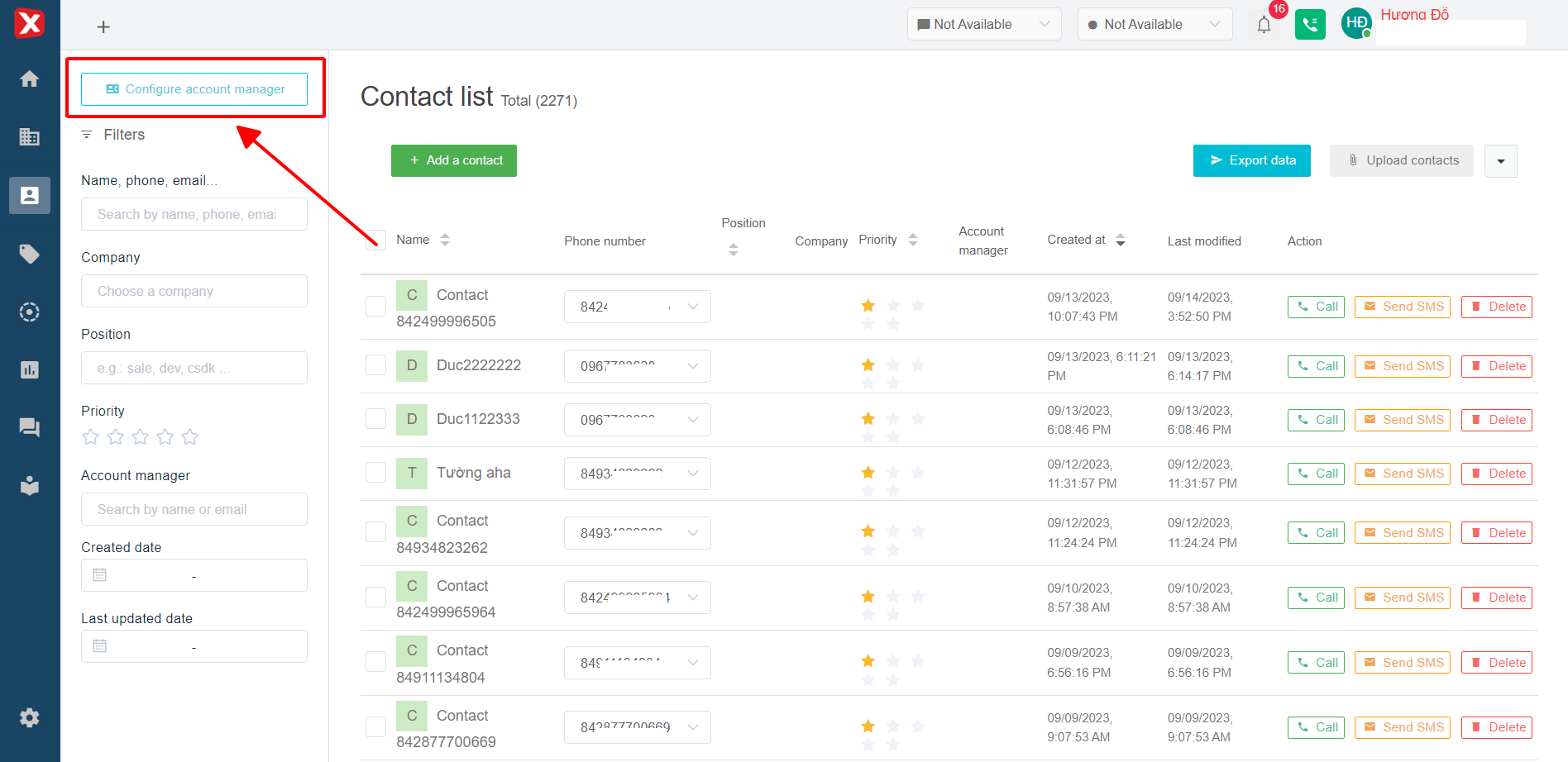
StringeeX supports an advanced feature **Account manager configuration** which supports new agents to manage contacts and tickets of old agents through the interface [Contact](/stringeex-tong-dai-cham-soc-and-quan-ly-khach-hang/en/ii.-system-features/3.-contact/3.1.-contact-management.md).
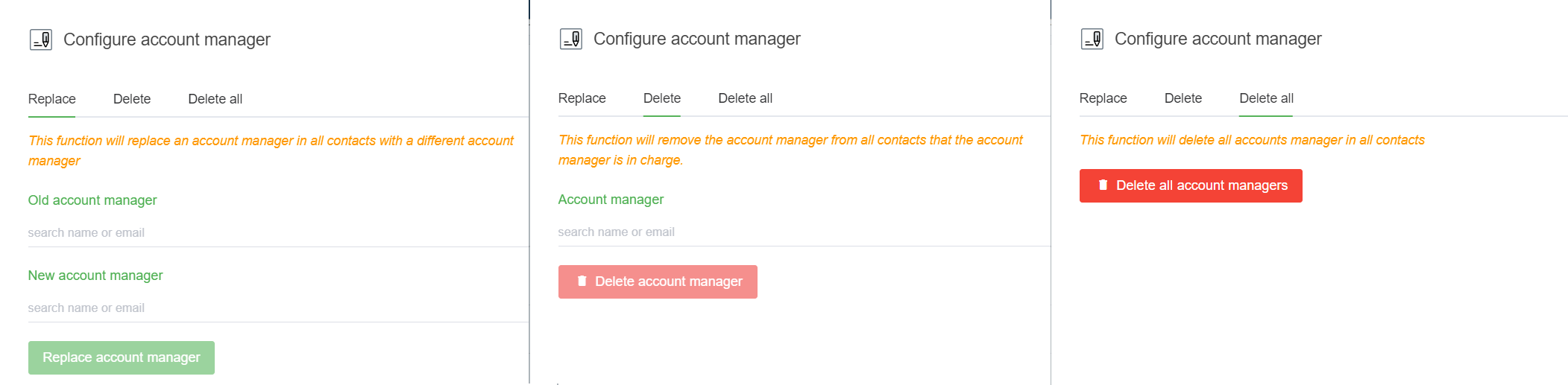
After clicking **Account manager configuration**, the admin can manipulate the options as shown below:
* **Replace:** This function will replace the management account in all contacts to another account. The function also changes the assignment field to the new agent with the corresponding contact tickets
* **Delete:** This function will delete the management account in all the contacts that account is managing
* **Delete all:** This function will perform delete all management account in all contact