> For the complete documentation index, see [llms.txt](https://help.stringeex.com/stringeex-tong-dai-cham-soc-and-quan-ly-khach-hang/llms.txt). Markdown versions of documentation pages are available by appending `.md` to page URLs; this page is available as [Markdown](https://help.stringeex.com/stringeex-tong-dai-cham-soc-and-quan-ly-khach-hang/en/ii.-system-features/9.-settings/9.10-payment/9.10.3-payment-history.md).
# 9.10.3 Payment history
## Payment history
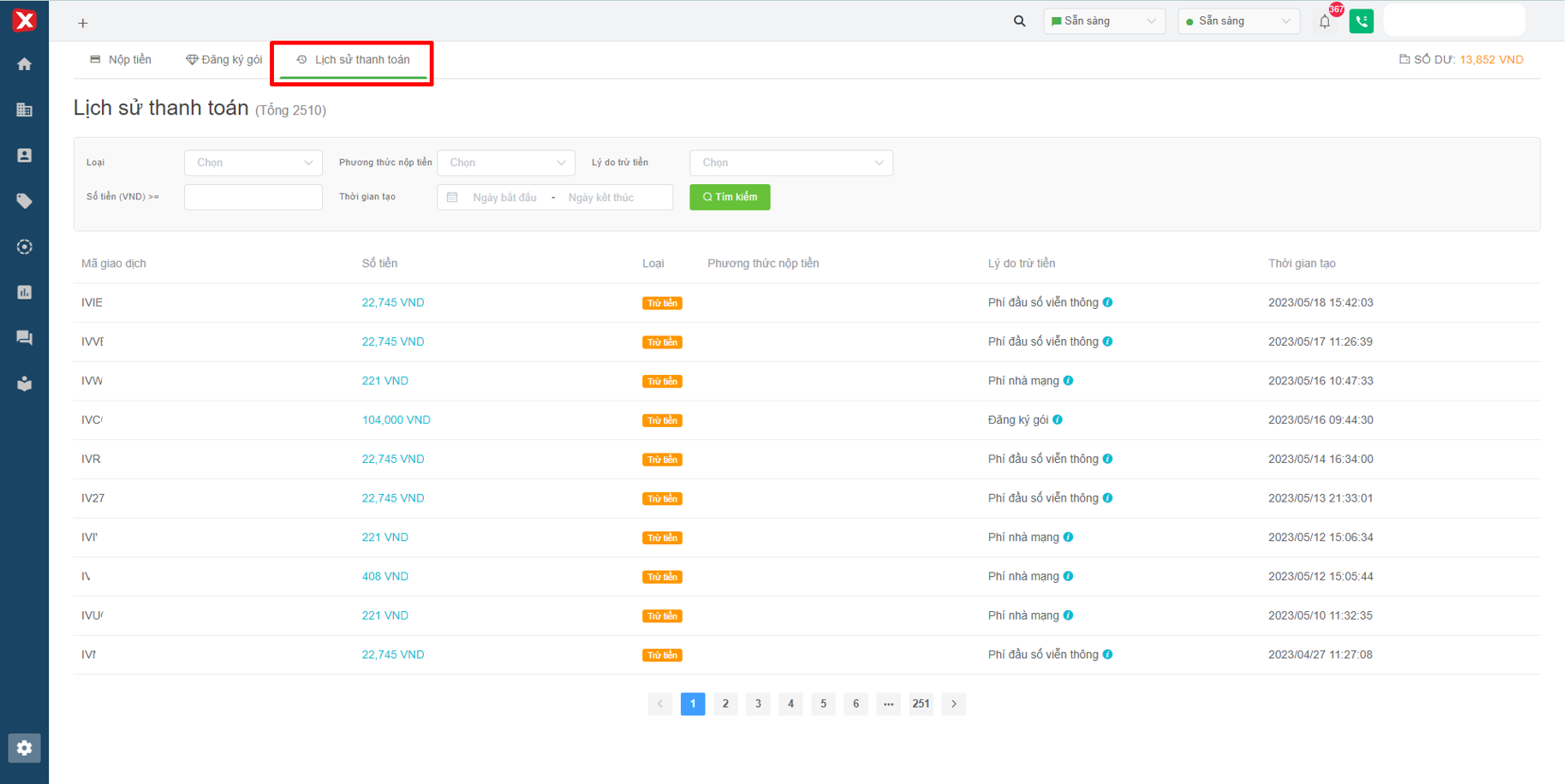
Here users can query and look up all paid transactions on the Stringee system.
Image 1: Payment history
## Payment history filter
Image 2: Payment history filter
* **Type:** [deposit](/stringeex-tong-dai-cham-soc-and-quan-ly-khach-hang/en/ii.-system-features/9.-settings/9.10-payment/9.10.1-topup.md) (top up Portal) and deduct money (deduct from the balance available on Portal).
* **Deposit methods:** there are Paypal, Visa/Card, Online banking, Stringee deposit, Transfer, Trial Bonus.
* **Reason for deduction:** the reason for the deduction of money on the system.
* **Amount:** user enters amount to filter transactions with payment amount greater than or equal to entered amount.
* **Creation time:** user selects a time period to filter transactions in that period.
## Table of transaction history
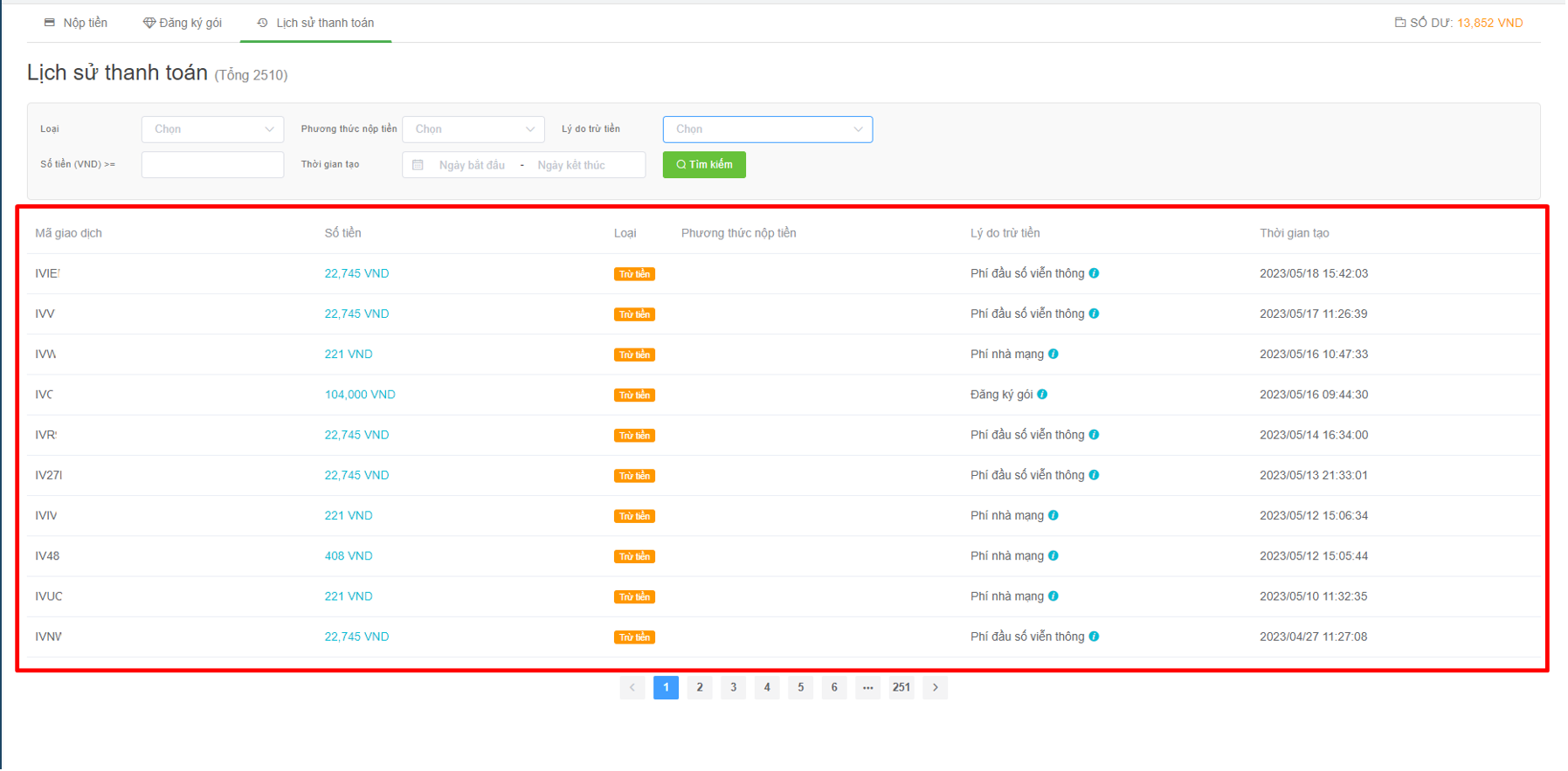
Image 3: Table of transaction history
* **Transaction ID:** each transaction will have its own code.
* **Amount:** the amount paid for each transaction.
* **Type:** deduct or top-up.
* **Deposit method:** there are Paypal, Visa/Card, Online banking, Stringee deposit, Transfer, Trial Bonus.
* **Reason for deduction:** the reason for the deduction of money on the system.
* **Creation time:** the time when the payment of the transaction is completed.