> For the complete documentation index, see [llms.txt](https://help.stringeex.com/stringeex-tong-dai-cham-soc-and-quan-ly-khach-hang/llms.txt). Markdown versions of documentation pages are available by appending `.md` to page URLs; this page is available as [Markdown](https://help.stringeex.com/stringeex-tong-dai-cham-soc-and-quan-ly-khach-hang/en/iii.-mobile-app/android-app/3.-contact.md).
# 3. Contact
## Contact interface
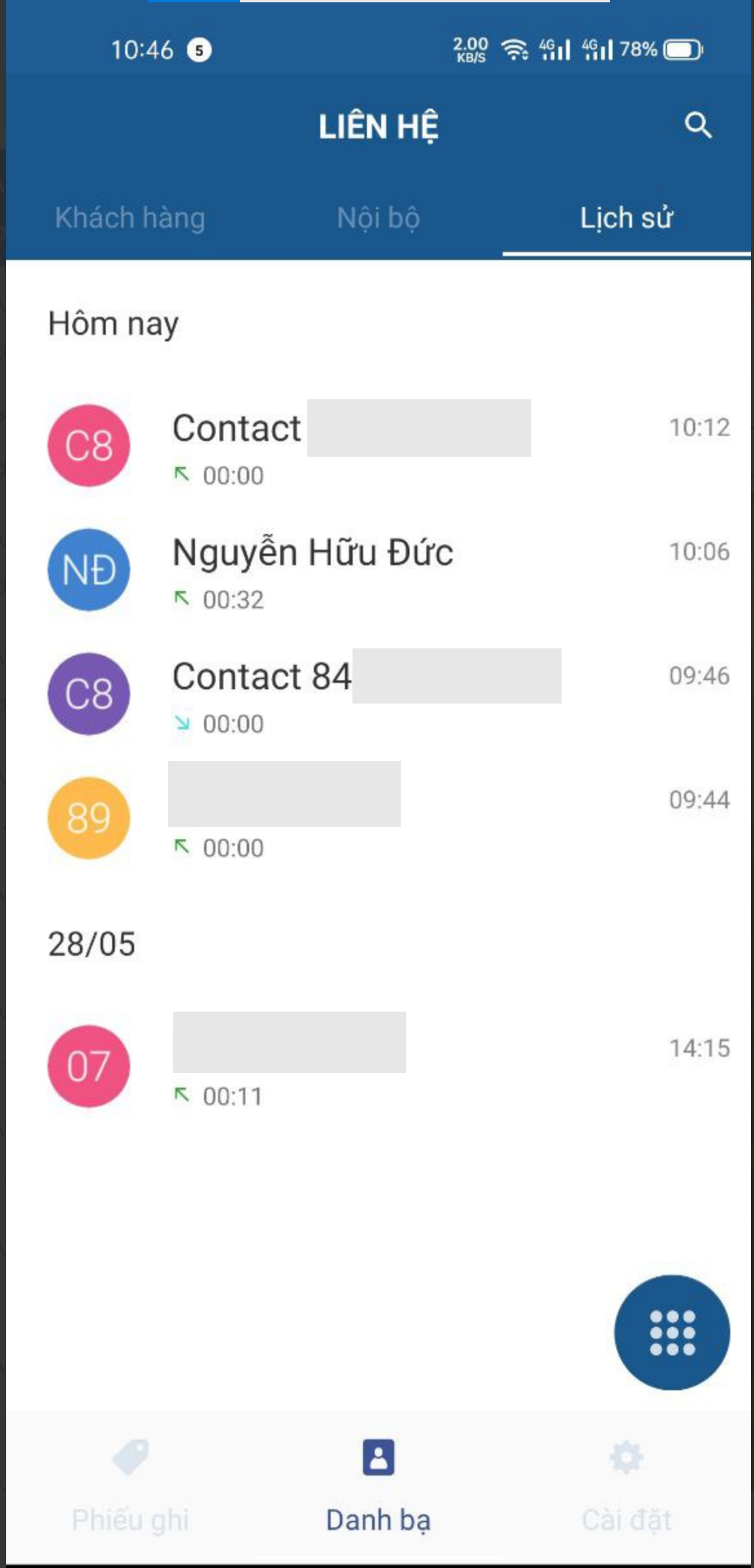
At the contact interface, users can view the customer list, internal contact list and call history, search by name or phone number for necessary contact information.
* **Customer:** customer contact information
* **Internal:** internal contact information (with other agents)
* **History:** history of last calls
## Create a contact
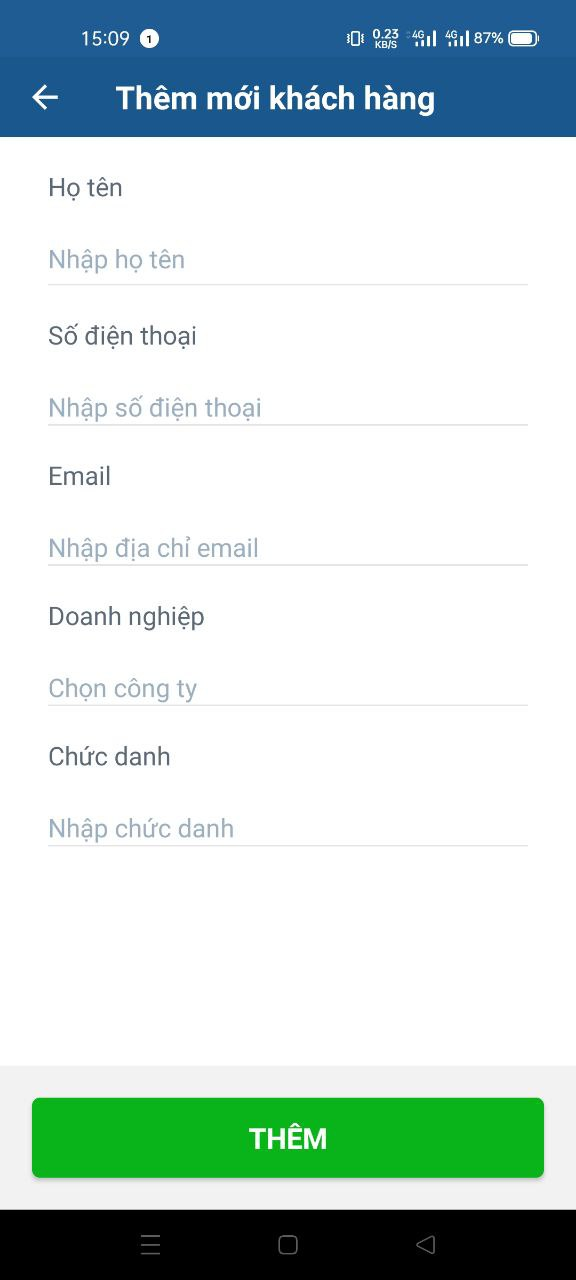
In the "Customer" interface, the user selects the "+" sign and fills in the corresponding information (each portal will have different fields with different displayed information) to create a new contact.