> For the complete documentation index, see [llms.txt](https://help.stringeex.com/stringeex-tong-dai-cham-soc-and-quan-ly-khach-hang/llms.txt). Markdown versions of documentation pages are available by appending `.md` to page URLs; this page is available as [Markdown](https://help.stringeex.com/stringeex-tong-dai-cham-soc-and-quan-ly-khach-hang/en/iii.-mobile-app/android-app/4.-make-a-call.md).
# 4. Make a call
## Make an outbound call
### A manual outbound call
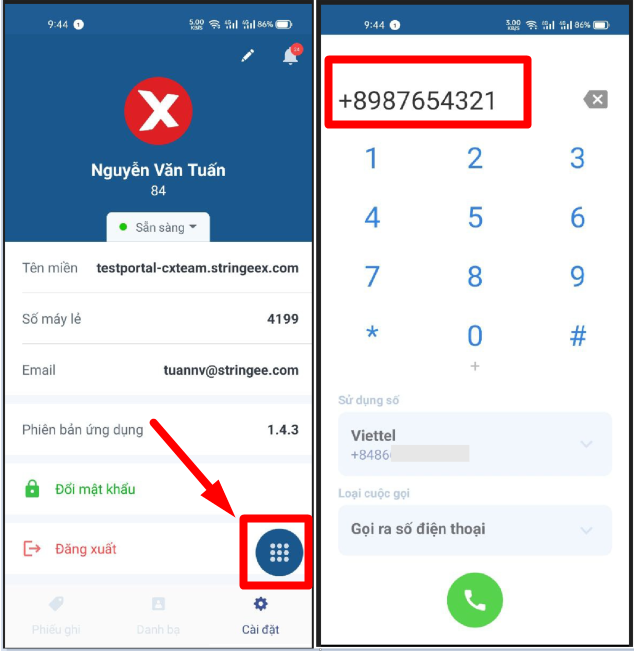
* **Step 1:** In the interface, select as shown to open the numeric keypad. An agent enters the phone number of the customer to call out.
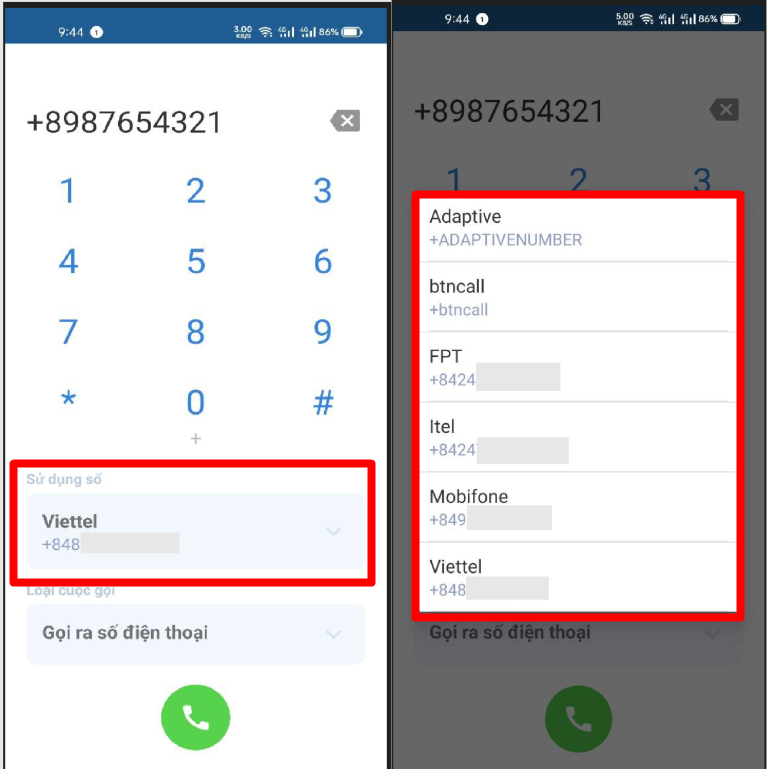
* **Step 2:** Select the hotline number to call out at “Use number”
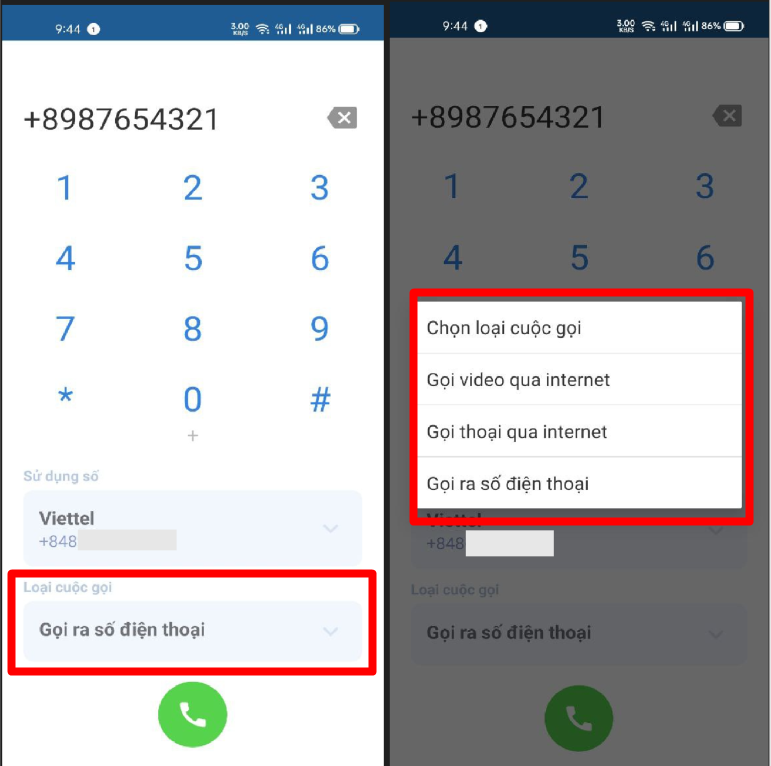
* **Step 3:** Select the outbound call type
* **Video call via Internet:** is used for internal video calling
* **Voice call via Internet:** is used for internal voice calling
* **Phone call:** is used to call out the customer's personal phone number
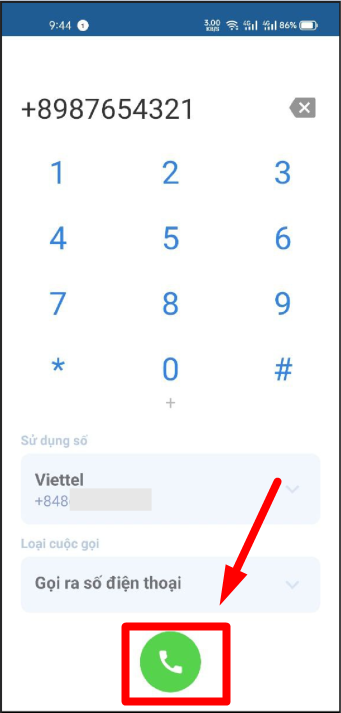
* **Step 4:** Press the call button to make a call
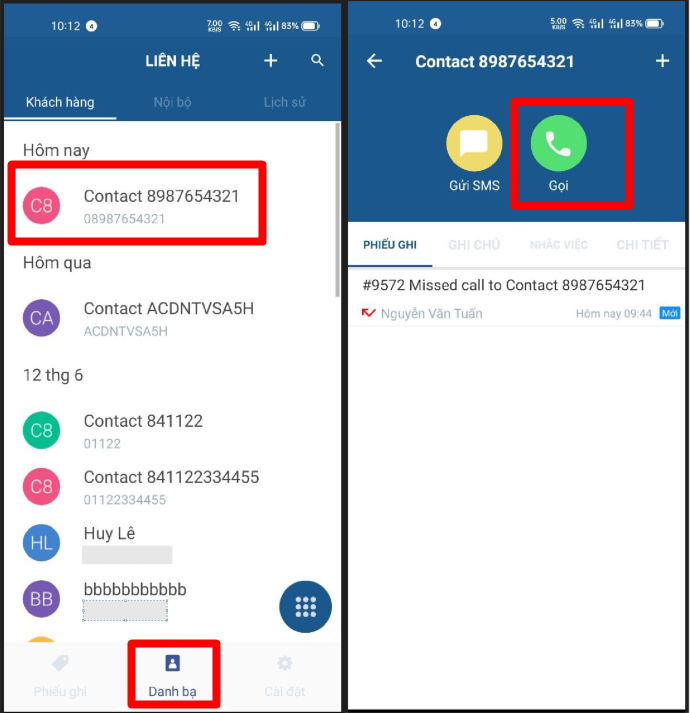
### An outbound call from a contact
The agent can make calls from contacts
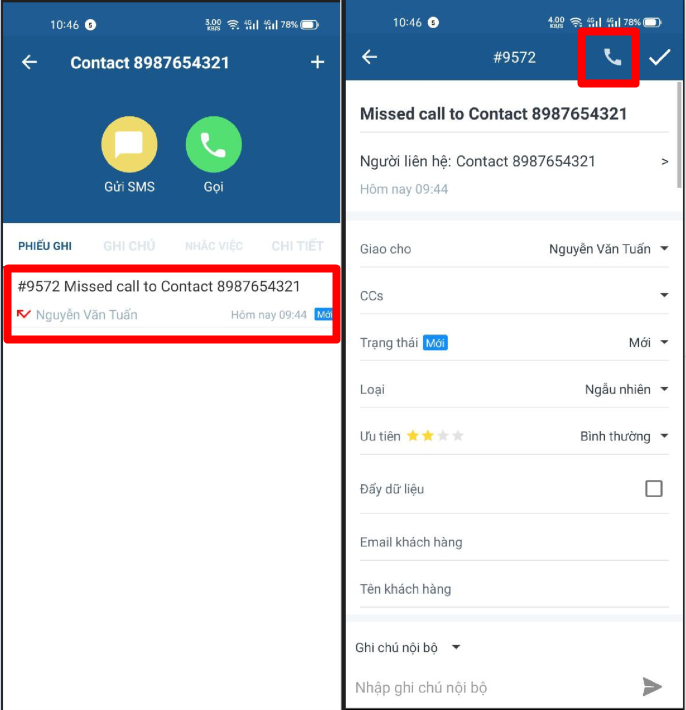
### An outbound call from a ticket
The agent make calls from the ticket
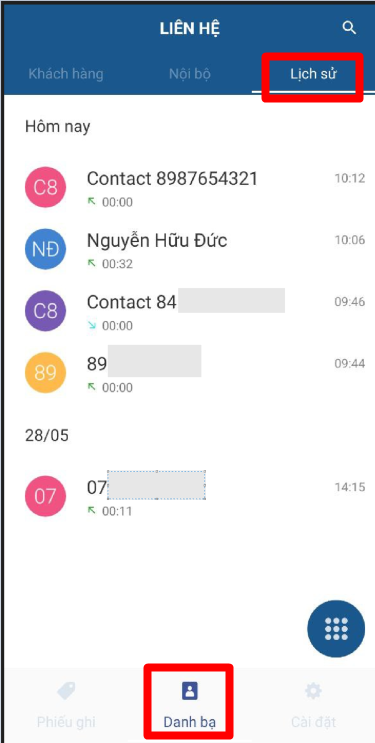
## View call history
Agent acts as the below image to enter the History menu
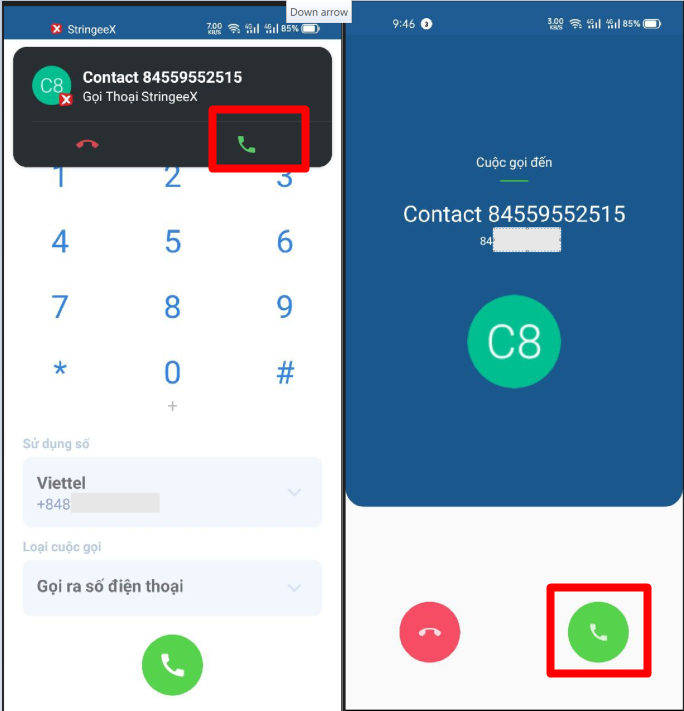
## Receive an inbound call
When there is an inbound call, the agent operate like the image below to receive the call
## Actions in the call
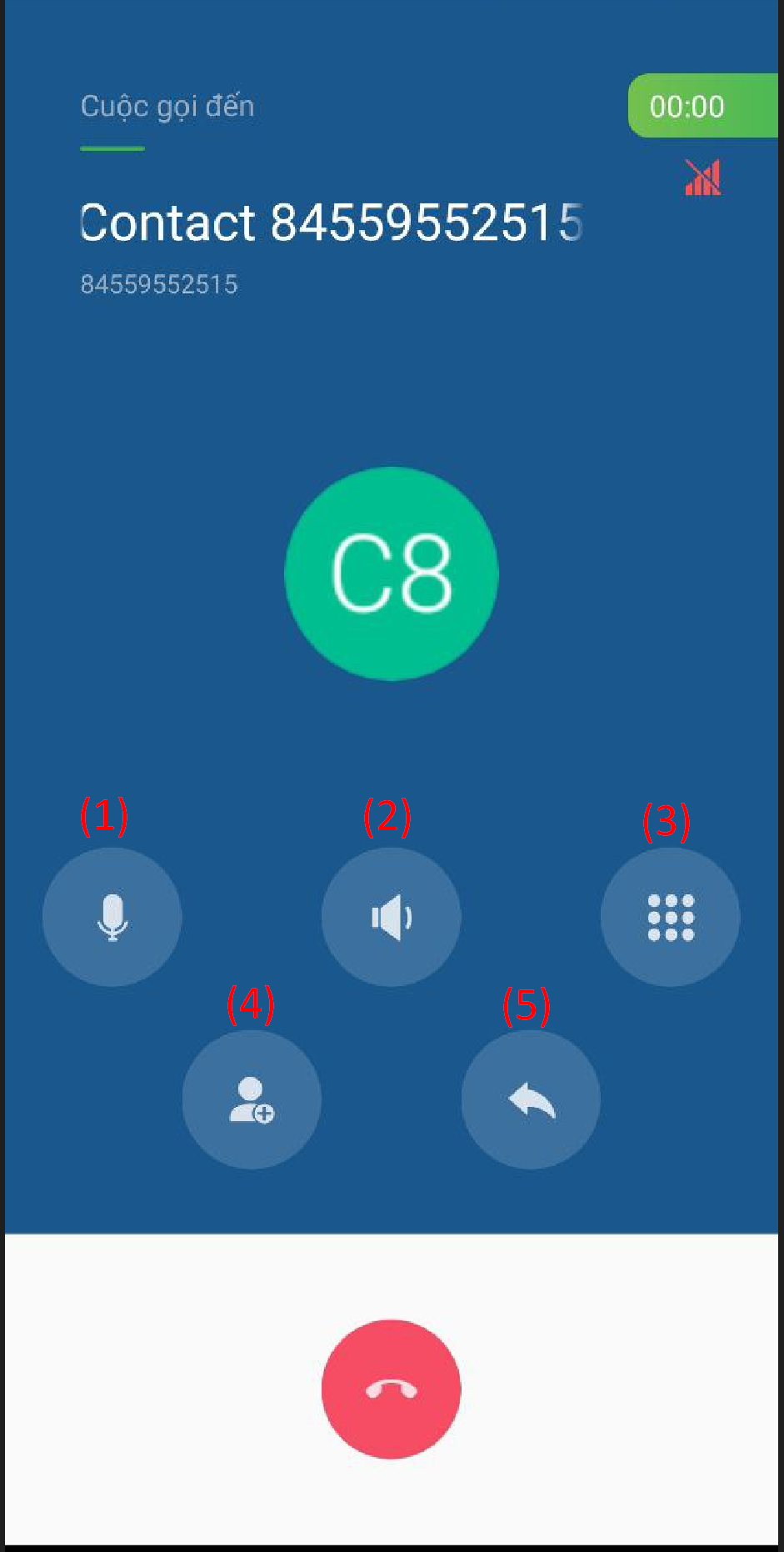
**(1) Mic:** mic on/off during calls
**(2) Speaker:** turn on/off speaker when making a call
**(3) Keypad:** allows the user to press the key when making a call
**(4) Add people to call:** users can add other users on the system to the call
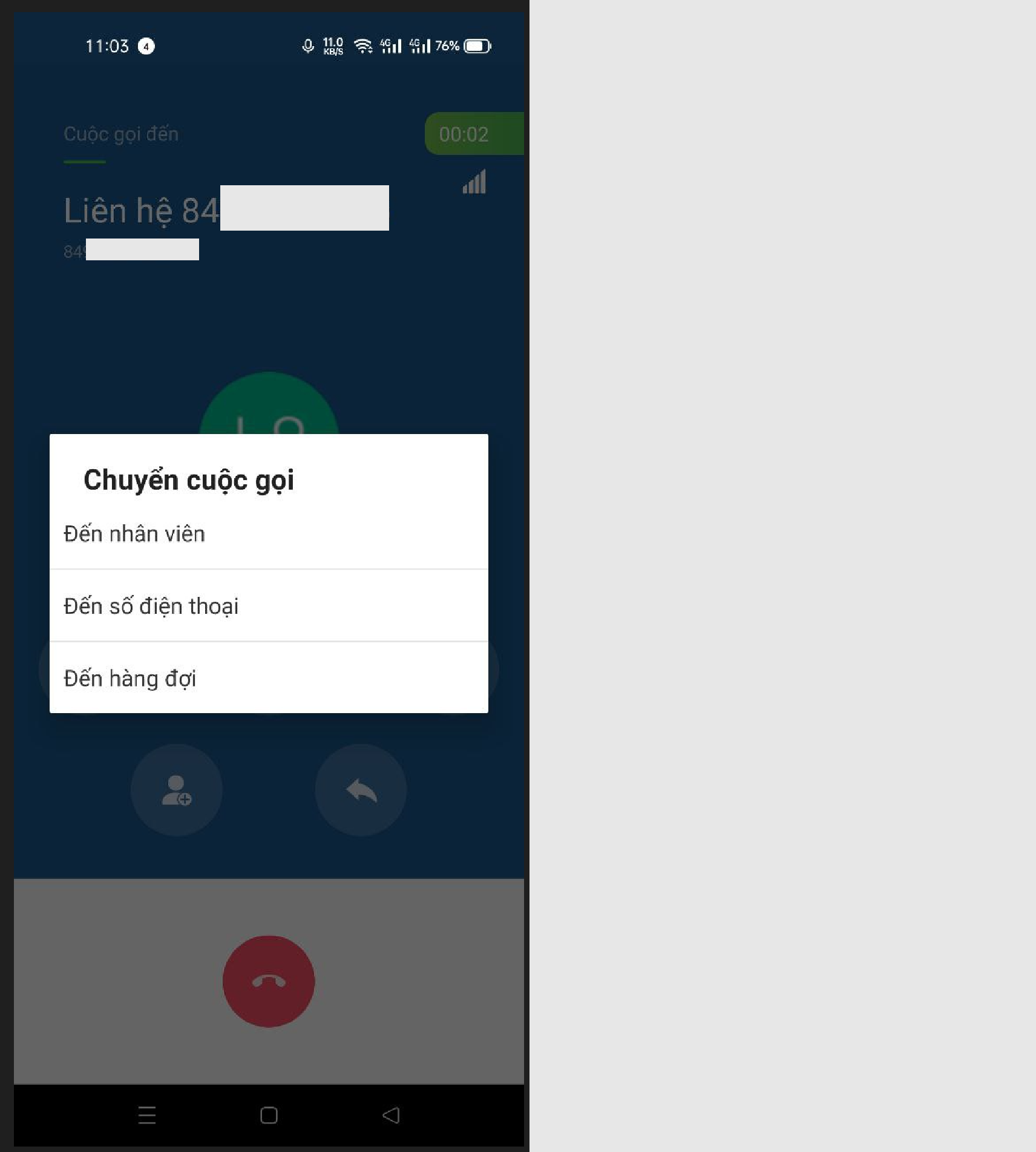
**(5) Transfer call:** users can transfer calls during making or receiving calls
* **Agent:** transfer calls to 1 user on the system
* **Queue:** transfer the call to a queue created on the system
* **Phone number:** the user will enter the phone number to transfer the call or select the number directly from the contacts on the phone device