> For the complete documentation index, see [llms.txt](https://help.stringeex.com/stringeex-tong-dai-cham-soc-and-quan-ly-khach-hang/llms.txt). Markdown versions of documentation pages are available by appending `.md` to page URLs; this page is available as [Markdown](https://help.stringeex.com/stringeex-tong-dai-cham-soc-and-quan-ly-khach-hang/en/ii.-system-features/9.-settings/9.1-service-management-customer-service/9.1.4-configure-receiving-channels/channels/sip-account.md).
# SIP account
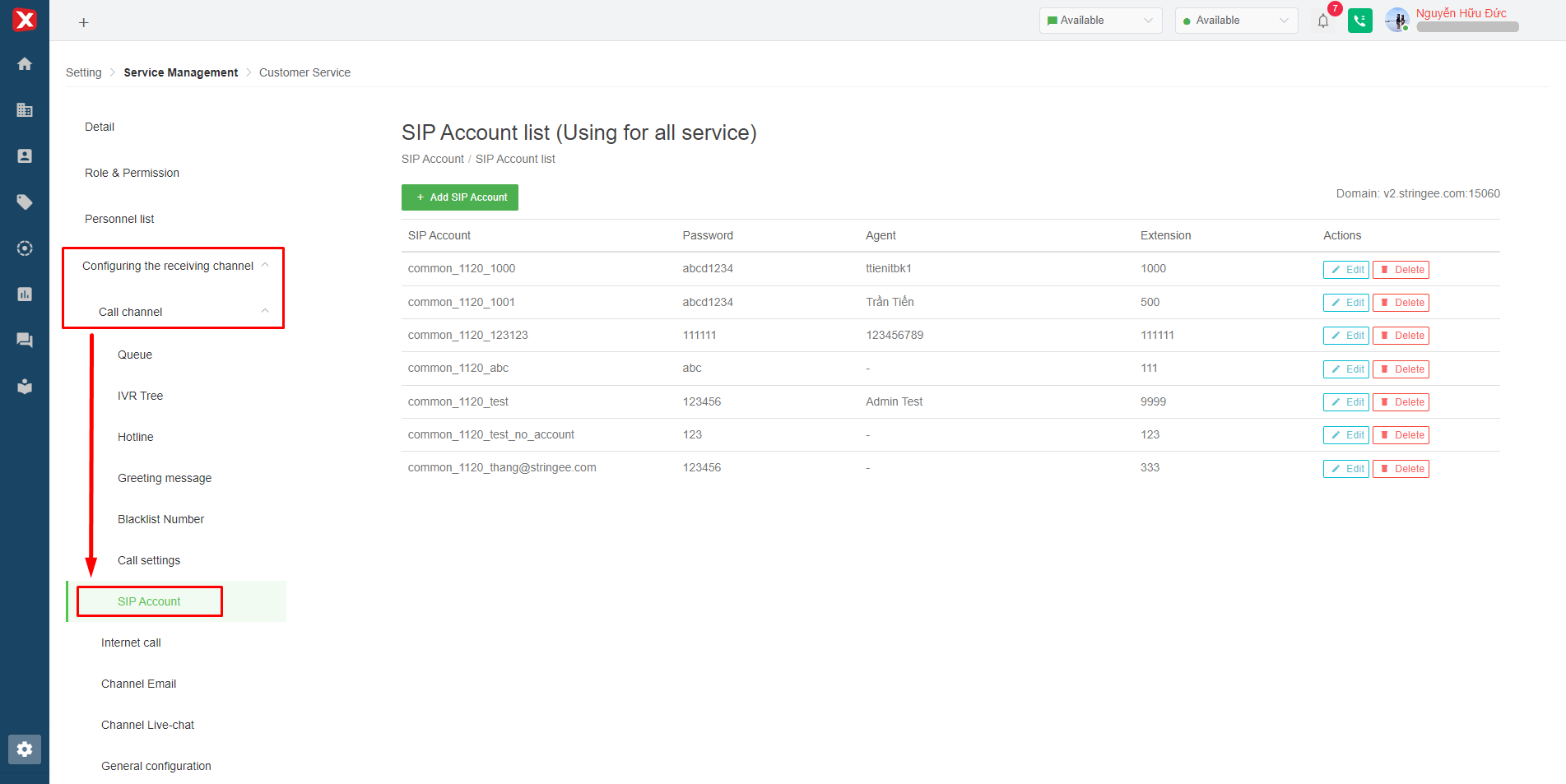
SIP account is used to connect user accounts on Stringee with IP Phone (deskphone: fanvil, yealink, ...) or Softphone software (Zoiper, ..), CRM (Misa, Hubspot, 1Office, etc.).
Image 1: SIP account
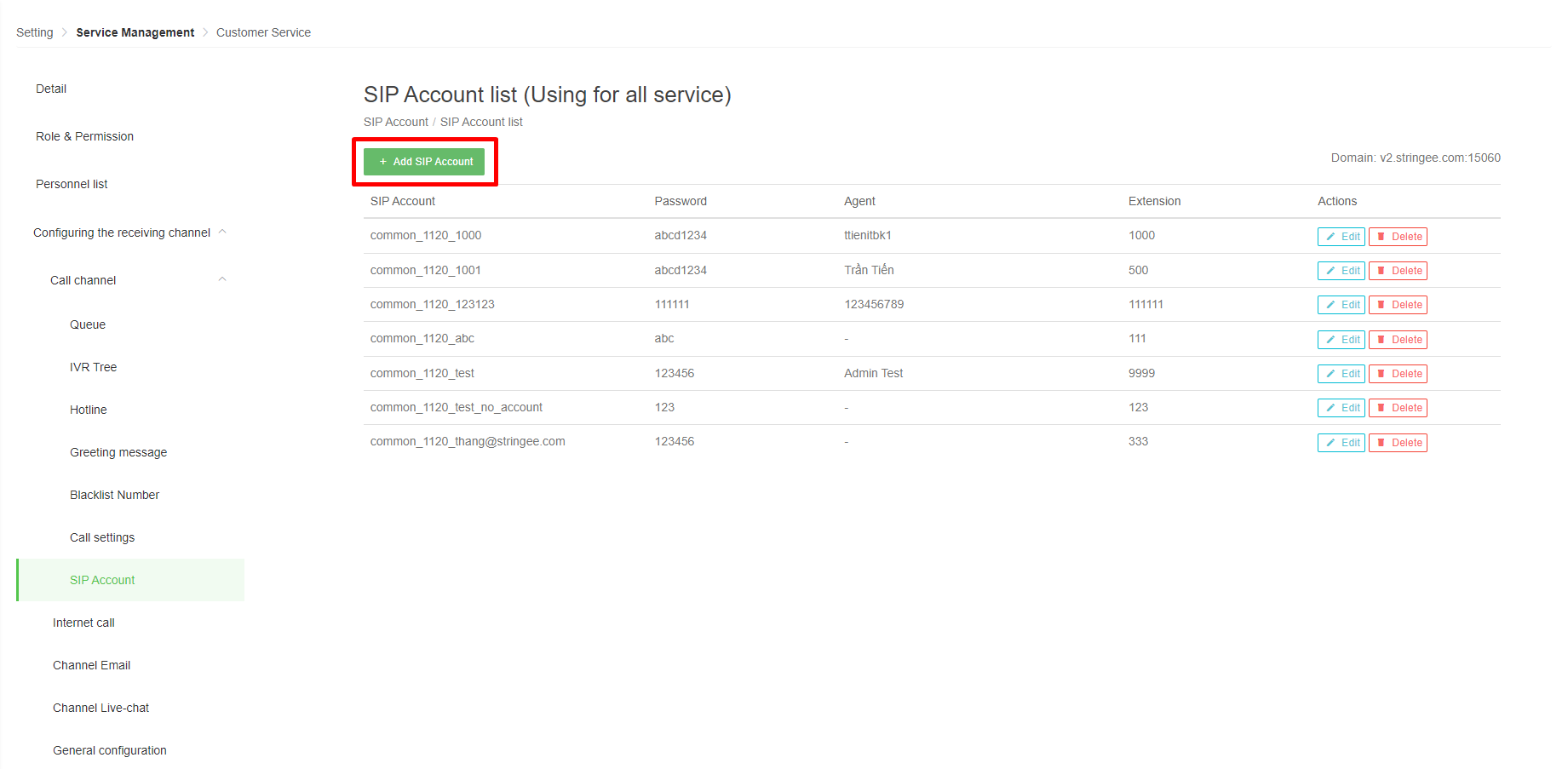
To create a SIP account, the receiving user selects the "Add SIP account" button on the interface.
Image 2: Add SIP account
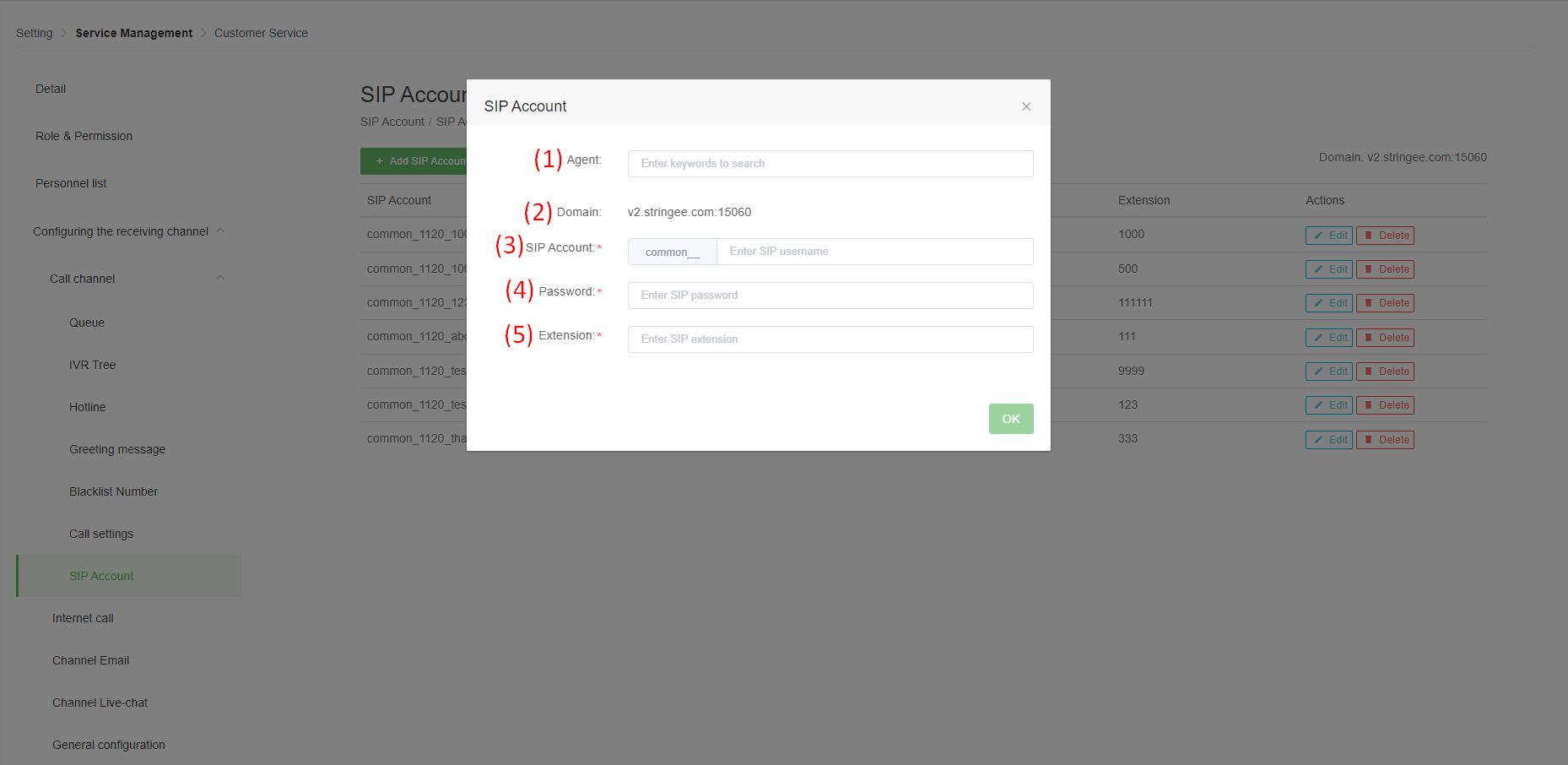
Update SIP account information:
Image 3: Update SIP account information
* **(1) Agent:** select the user in charge of the created SIP account.
* **(2) Domain:** system default will be “sip-register-india.stringee.com:5262”.
* **(3) SIP account:** is the username when logging in on IP Phone or Softphone.
* **(4) Password:** password when logging in on IP Phone or Softphone.
* **(5) Extension:** is the extension of the User, when the Customer calls the correct extension, it will meet the User directly or be used for internal calls.