> For the complete documentation index, see [llms.txt](https://help.stringeex.com/stringeex-tong-dai-cham-soc-and-quan-ly-khach-hang/llms.txt). Markdown versions of documentation pages are available by appending `.md` to page URLs; this page is available as [Markdown](https://help.stringeex.com/stringeex-tong-dai-cham-soc-and-quan-ly-khach-hang/en/ii.-system-features/8.-knowledge-base.md).
# 8. Knowledge base
The knowledge base is a place for users on the system to view internal documents depending on the role permissions. Here, users will update the latest internal information, learn the necessary information or use instructions for the necessary item on the system, etc.
The knowledge base is a place for users on the system to view internal documents depending on the role permissions. Here, users will update the latest internal information, learn the necessary information or use instructions for the necessary item on the system, etc.
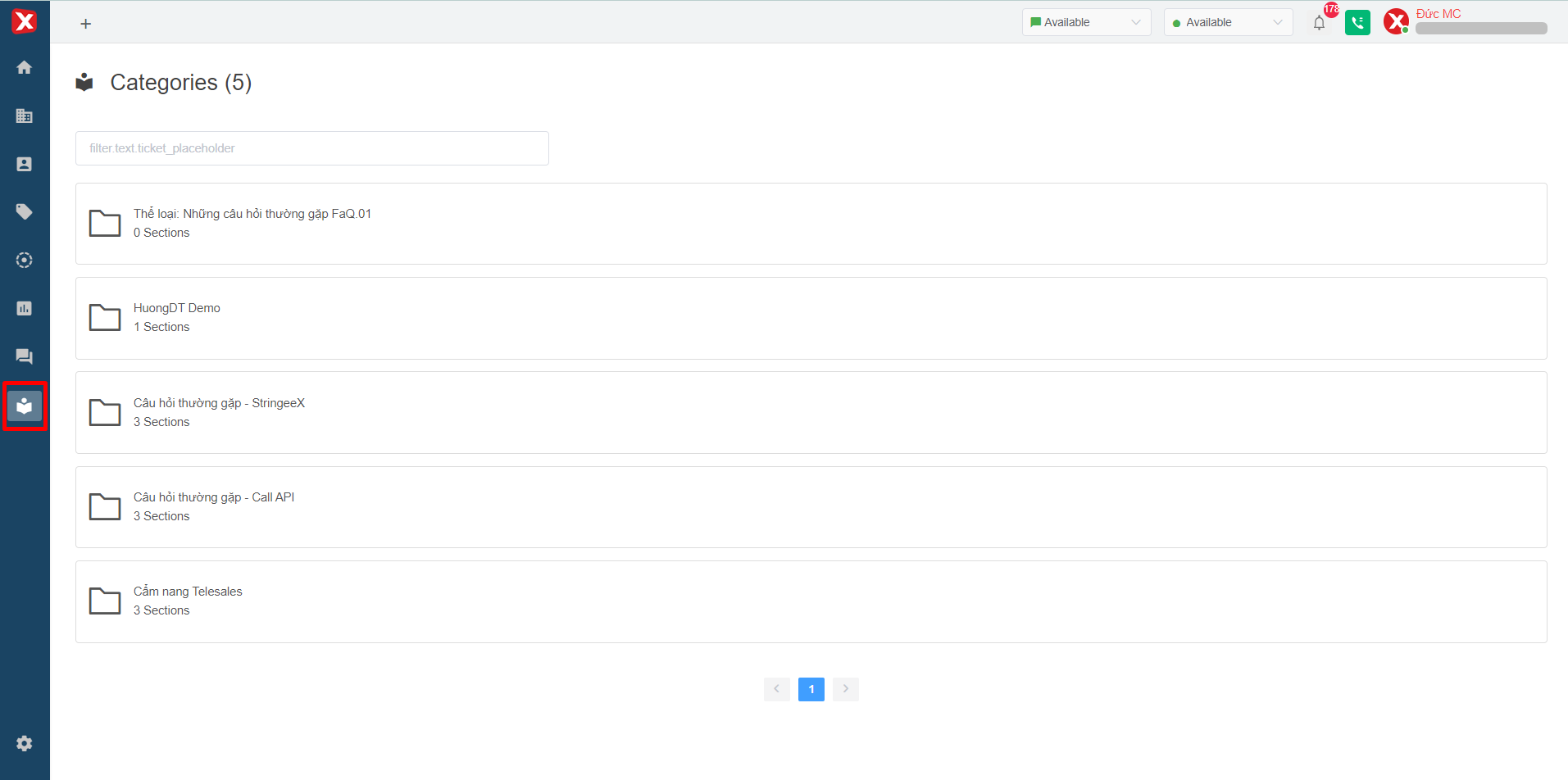
Image 1: Knowledge base menu
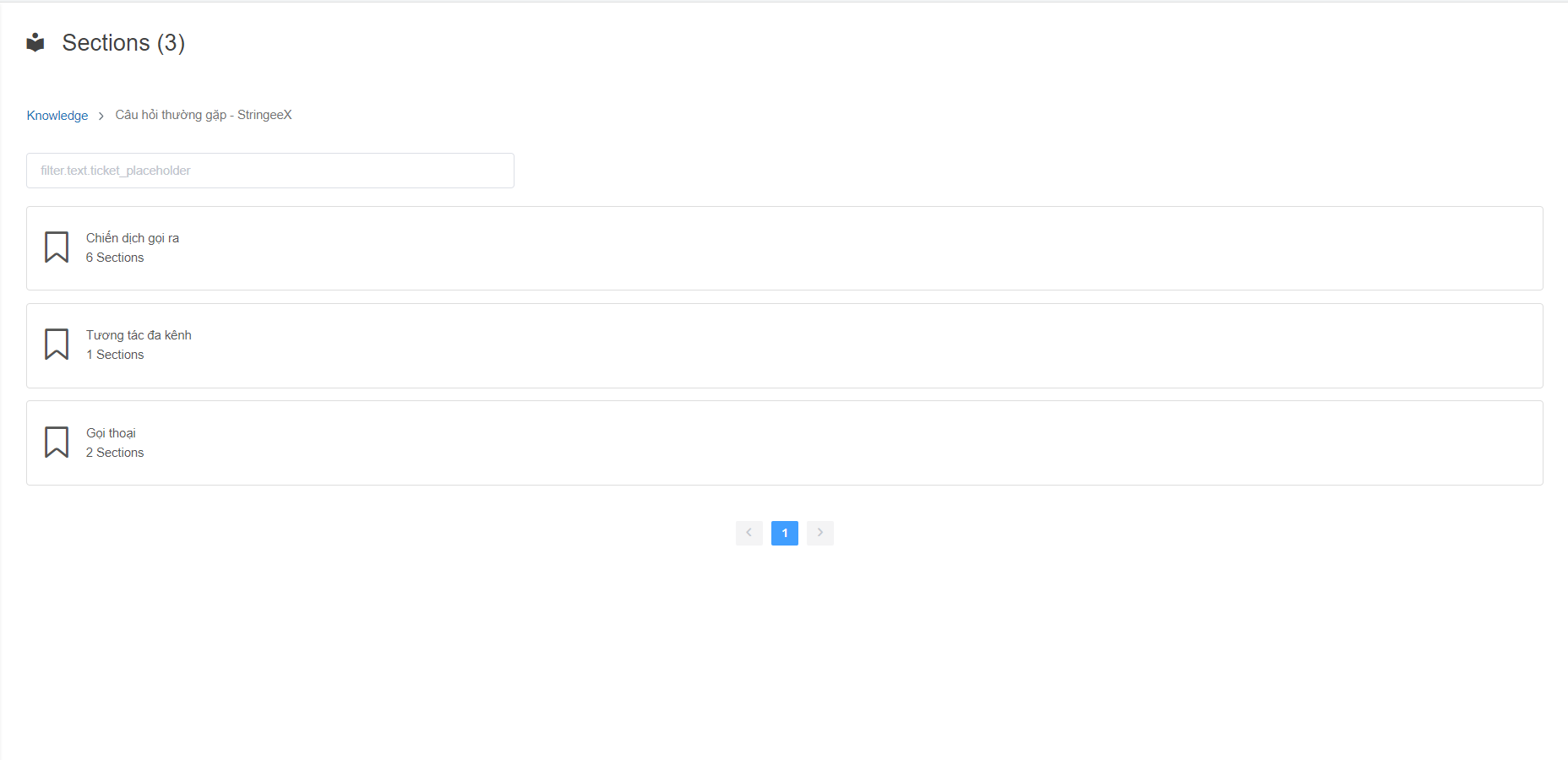
In the first interface of the Knowledge base, users can view a list of categories.
Users can view the categories by clicking on the appropriate category.
In the first interface of the Knowledge base, users can view a list of categories.
Users can view the categories by clicking on the appropriate category.
Image 2: A list of categories
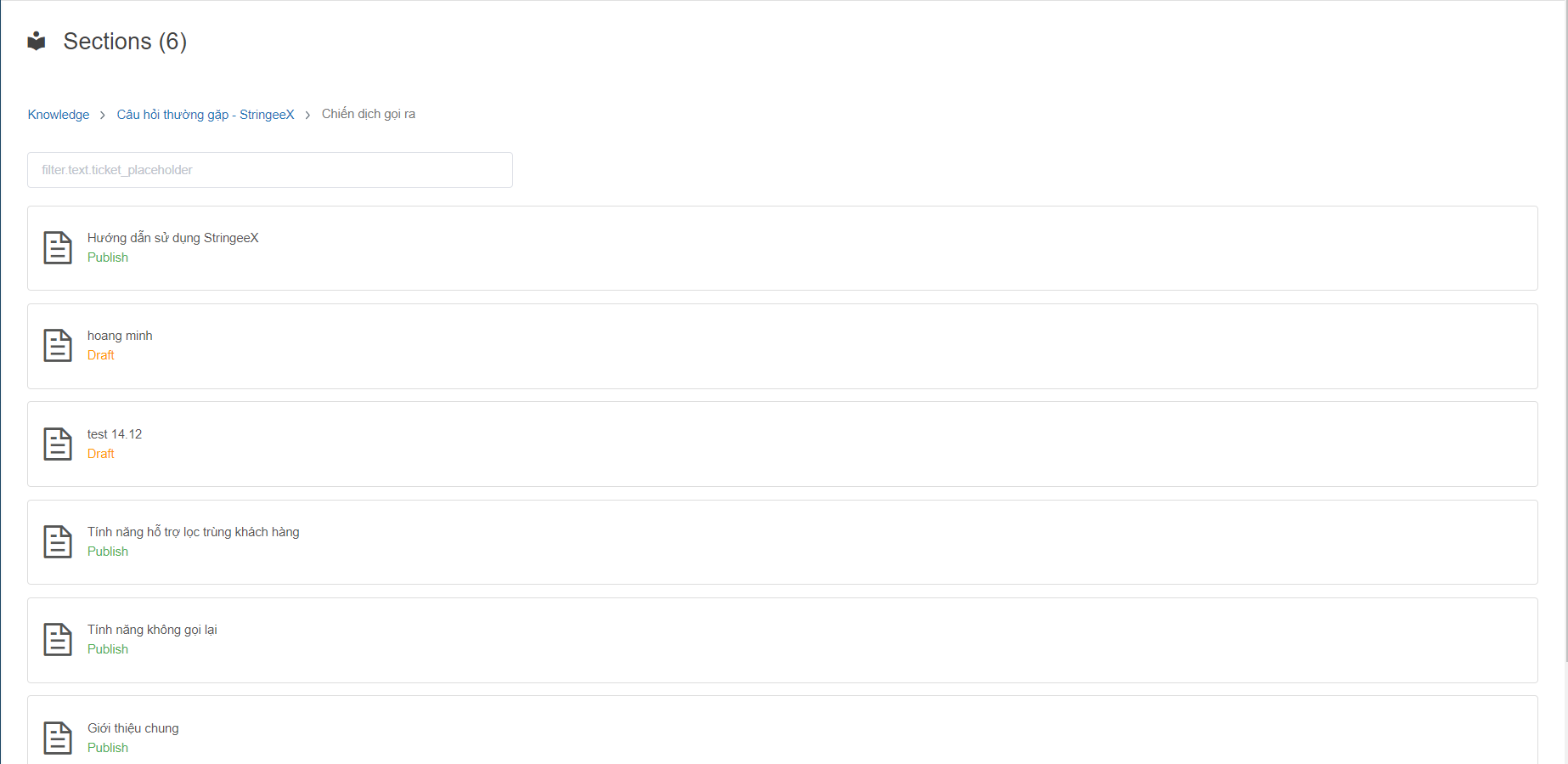
After finding the necessary category, users will click to select the category to view all the articles of that category.
After finding the necessary category, users will click to select the category to view all the articles of that category.
Image 3: A list of articles in a category
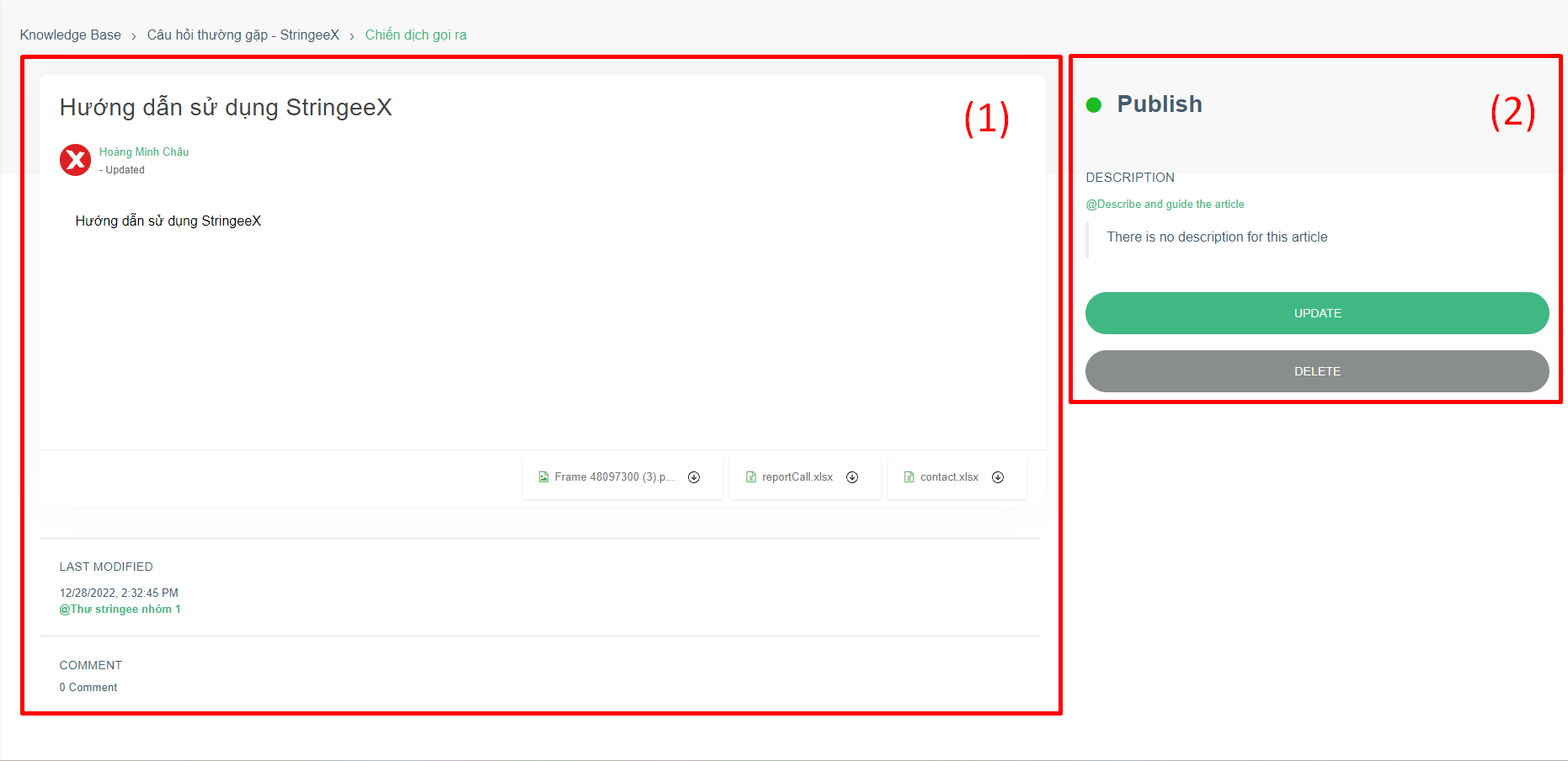
To view the article details, users select to open the article.
Image 4: View article content
In the article details, there will be 2 main contents: (1) and (2):
* **Content area (1):**
* **Title and content.**
* **The files are attached in the article.**
* **Last updated date:** including detailed time and most recent post update.
* **Comment:** everyone's comments on the post.
* **Information area (2):**
* **Article status:** published or drafted.
* **Description:** brief introduction of the article.
* **Edit article:** users with permission to manage ([learn more](/stringeex-tong-dai-cham-soc-and-quan-ly-khach-hang/en/ii.-system-features/9.-settings/9.9-knowledge-base.md#tao-the-loai)) the post can edit the post.
* **Delete:** delete the post from the system.