> For the complete documentation index, see [llms.txt](https://help.stringeex.com/stringeex-tong-dai-cham-soc-and-quan-ly-khach-hang/llms.txt). Markdown versions of documentation pages are available by appending `.md` to page URLs; this page is available as [Markdown](https://help.stringeex.com/stringeex-tong-dai-cham-soc-and-quan-ly-khach-hang/en/ii.-system-features/9.-settings/9.7-campaign-management/9.7.3-email-campaign/email-template.md).
# Email template
## Interface of email template list
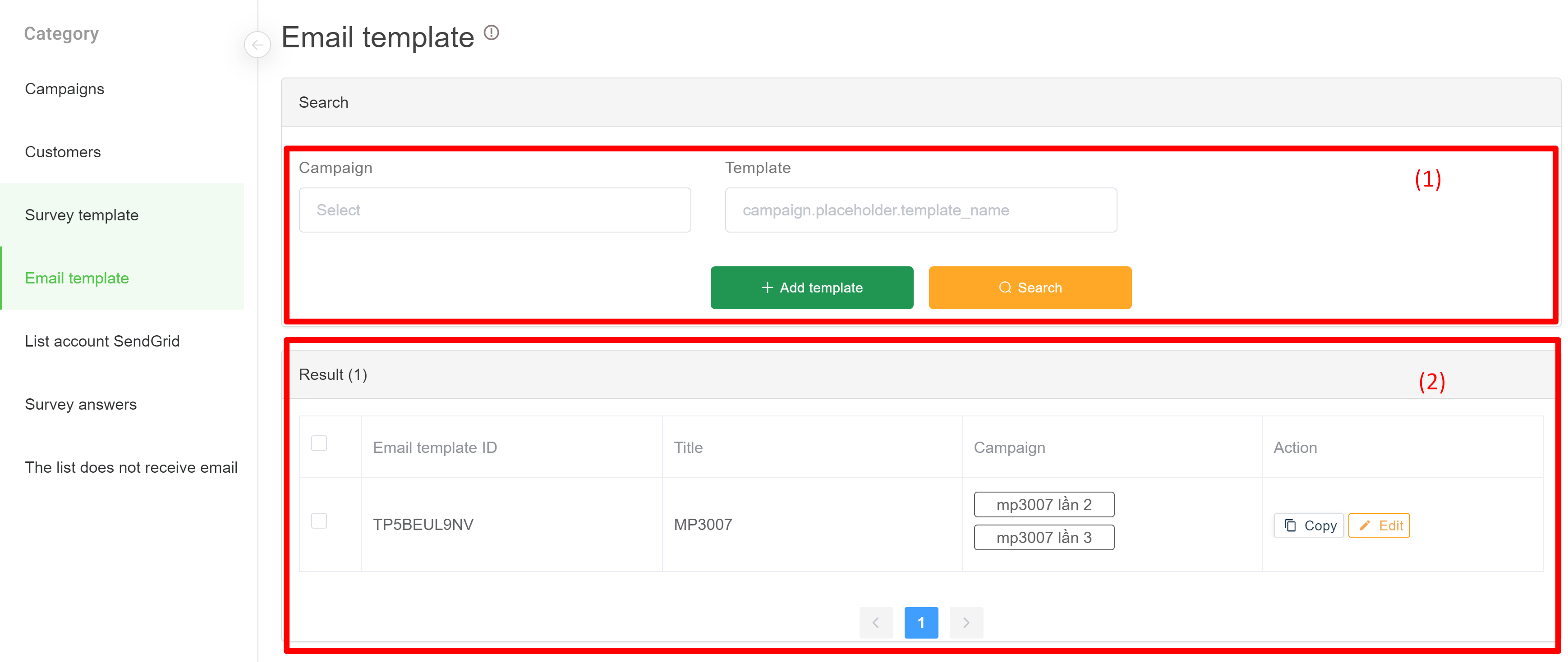
### (1) Information filter
* **Campaign:** email campaign name using email template
* **Template :** email template name
### (2) Filter result
* **Email template ID:** id of template
* **Title:** email template subject
* **Campaign:** campaign name using corresponding email template
* **Action:**
* **Copy:** create a new email template that is identical to an existing email template
* **Edit:** edit an existing email template
## Create an email template
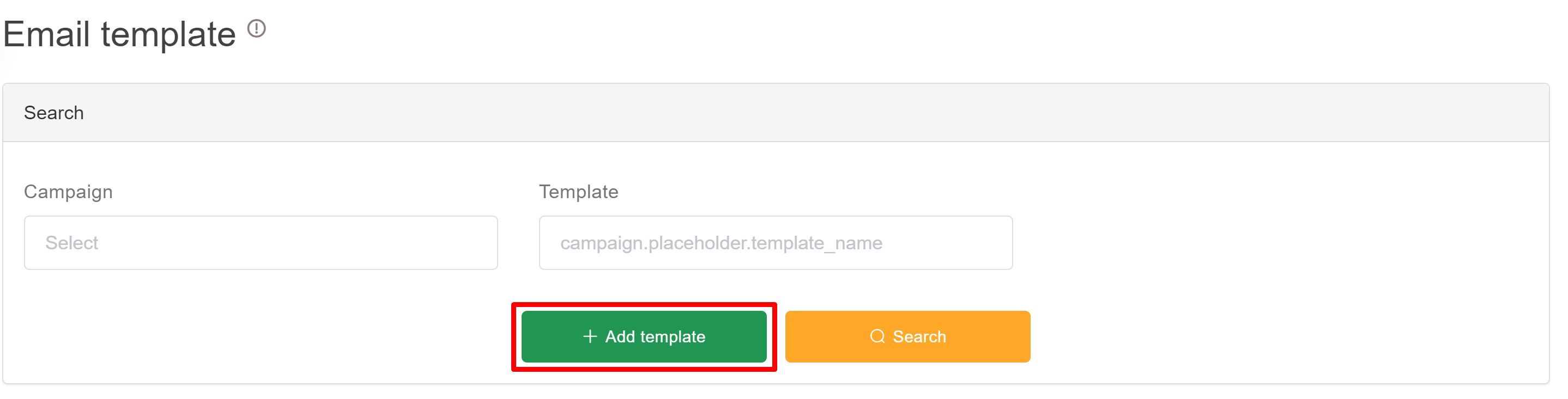
* **Step 1:** In the list of email templates, the admin clicks the "Add template" button to create a new email template
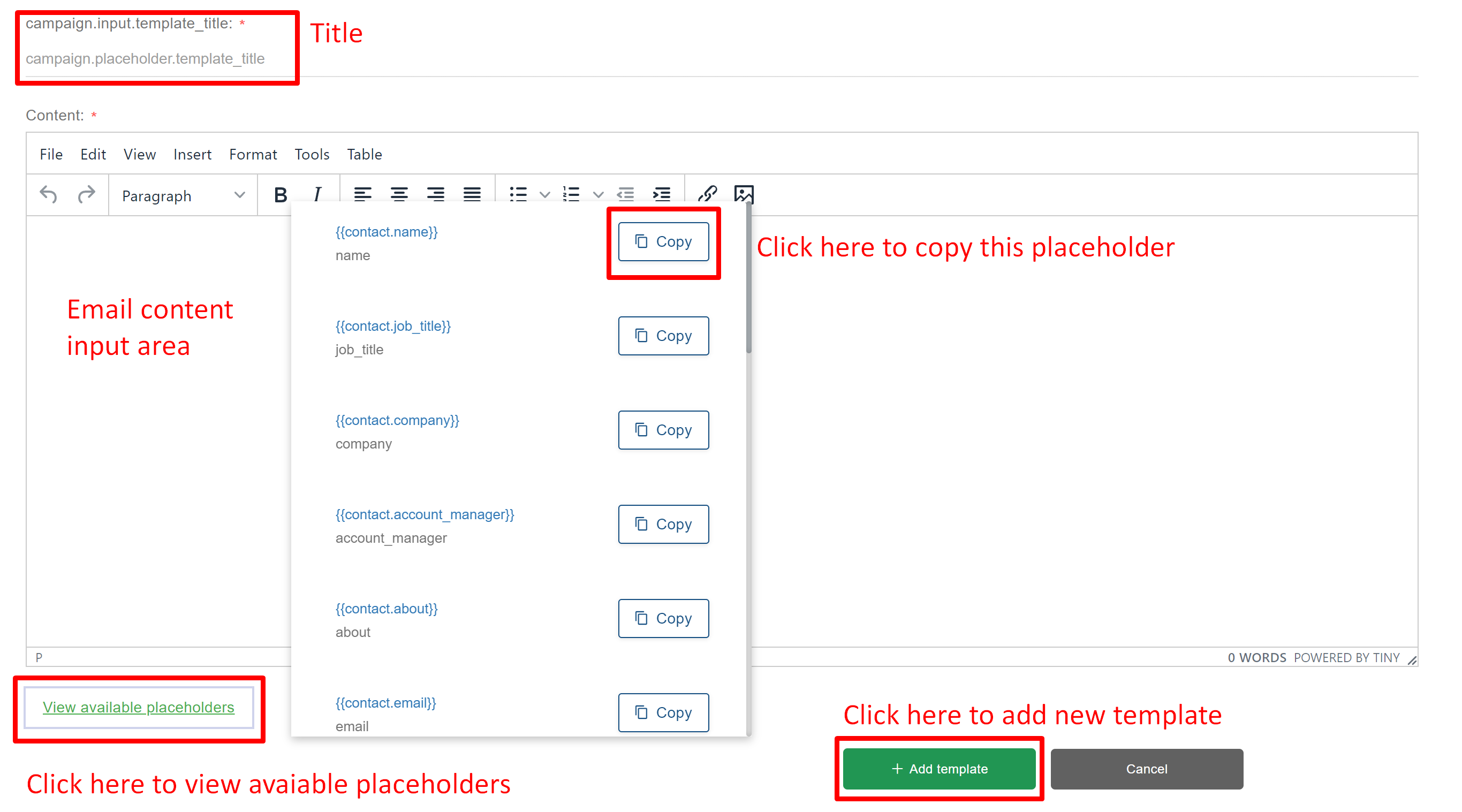
* **Step 2:** At the Add email template interface, the admin can design the email template as required and then click the "Add template" button after completing to save it.
**Note: the placeholder of the email is used in case of sending a personalized email or adding a survey link**
* **For personalized email:** admin copy the necessary fields in the View available placeholders into the email form
* **With survey link:** admin chooses placeholder {{url\_survey\_link}} to add to email template