> For the complete documentation index, see [llms.txt](https://help.stringeex.com/stringeex-tong-dai-cham-soc-and-quan-ly-khach-hang/llms.txt). Markdown versions of documentation pages are available by appending `.md` to page URLs; this page is available as [Markdown](https://help.stringeex.com/stringeex-tong-dai-cham-soc-and-quan-ly-khach-hang/en/ii.-system-features/2.-company/2.1.-company-management.md).
# 2.1. Company management
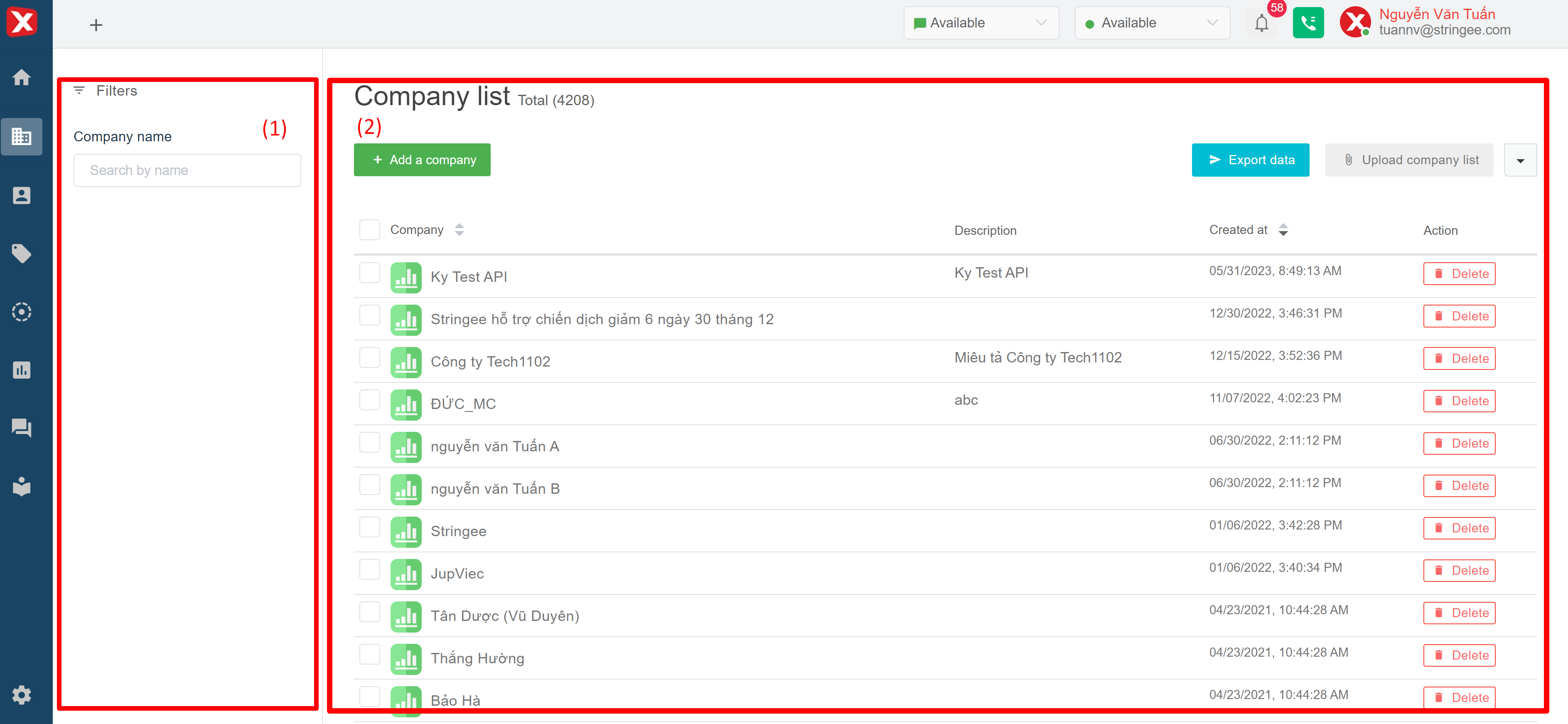
## Business management interface
### (1) Filter by business name
* **Company name:** search by business name
### (2) Company list
* **Company name:** business name created on the system
* **Description:** description field of the business
* **Created at:** corresponding business creation time on the system
* **Last updated at:** the latest time to update business information
* **Action:** delete the corresponding business. Users can select multiple businesses at the same time before deleting to delete selected businesses at the same time
* **Upload companies:** StringeeX supports business creation in bulk from an existing excel file, users (admin) click to download the excel file with sample fields, enter information (in text format) and upload to the system to create businesses in bulk.
* **Export data:** Export business results (displayed when searching on the screen) to the device. Output data is in an excel format.
## Instruction of adding a company
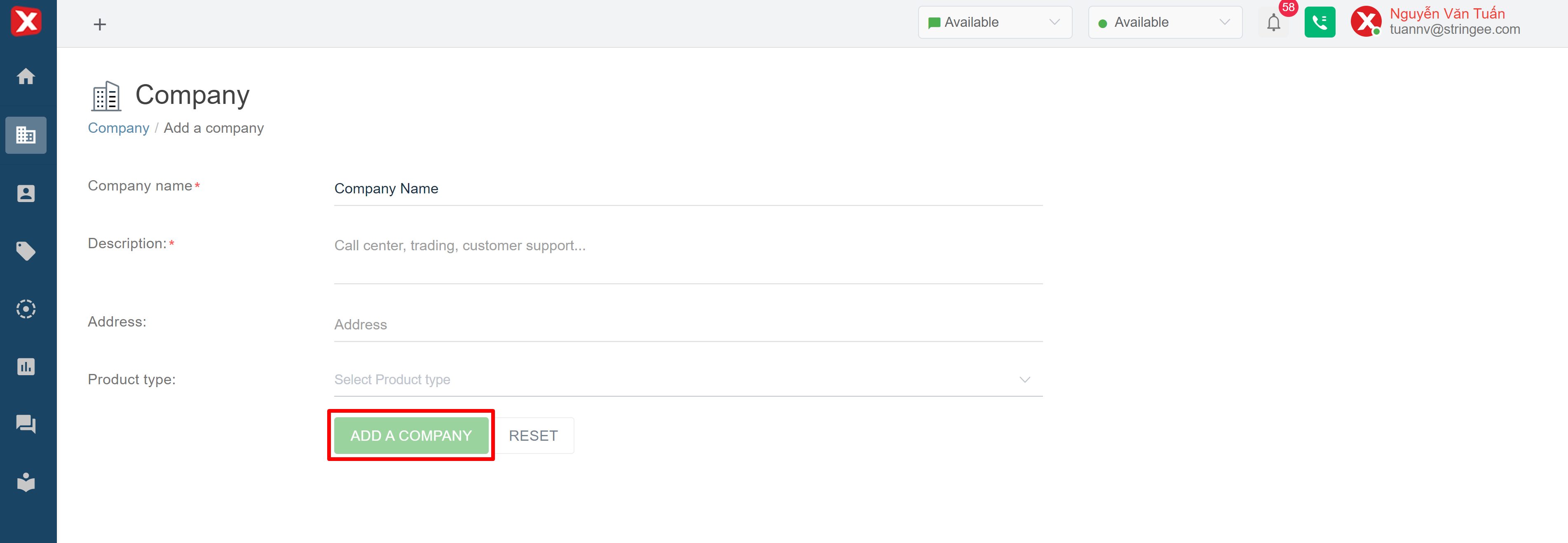
When an Admin wants to create a company on the system, click on "Add a company":
Depending on the information fields that have been configured in the [Company configuration](/stringeex-tong-dai-cham-soc-and-quan-ly-khach-hang/en/ii.-system-features/9.-settings/9.3-field-configuration/9.3.1-contact-field.md) section, the admin fills in the corresponding information and clicks on the "Add a company" button (the icon will light up when the required information is filled) to initialize.