> For the complete documentation index, see [llms.txt](https://help.stringeex.com/stringeex-tong-dai-cham-soc-and-quan-ly-khach-hang/llms.txt). Markdown versions of documentation pages are available by appending `.md` to page URLs; this page is available as [Markdown](https://help.stringeex.com/stringeex-tong-dai-cham-soc-and-quan-ly-khach-hang/en/ii.-system-features/9.-settings/9.7-campaign-management/9.7.3-email-campaign/survey-template.md).
# Survey template
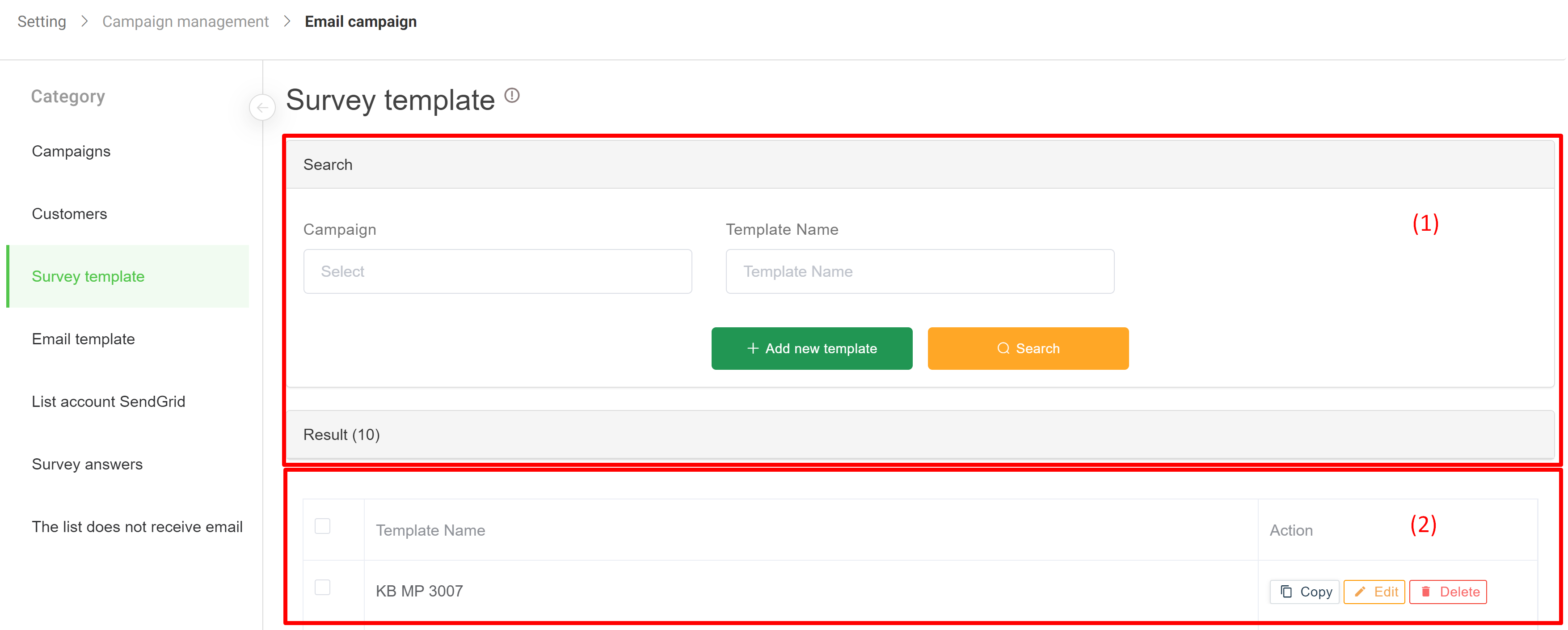
## Interface of survey template
### (1) Information filter
* **Campaign:** find the script by the name of the campaign in use
* **Template:** search by script name
### (2) Result
* **Template name:** the name of the template when installing (creating) the campaign
* **Email template ID:** id of template
* **Title:** title of template
* **Campaign:** campaign's name
* **Action:**
* **Copy:** create a new template that is identical to the corresponding survey
* **Edit:** edit survey questionnaire, template name
* **Delete:** delete the template
## Create a new template
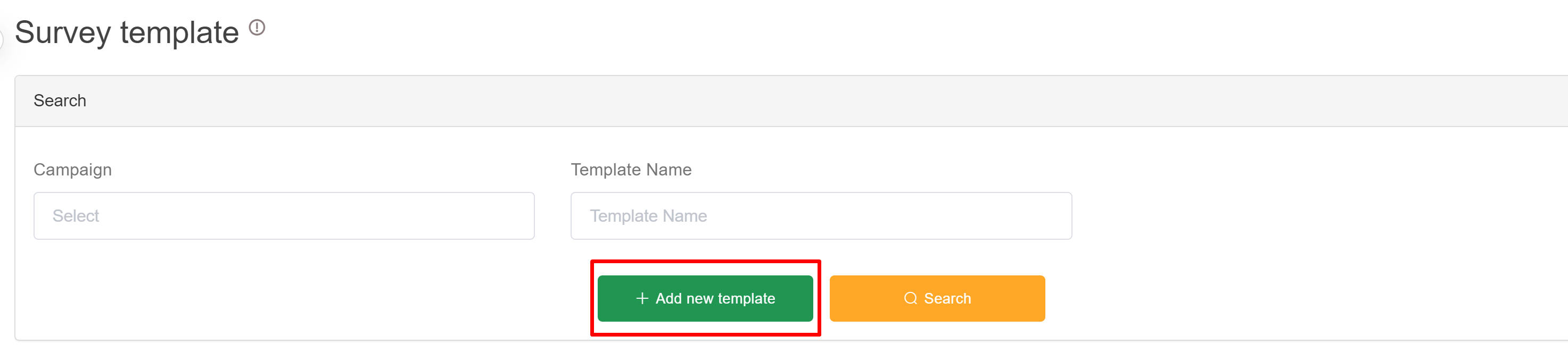
* **Step 1:** In the screen of the template list, the admin clicks the "Add new template" button to create a new survey template:
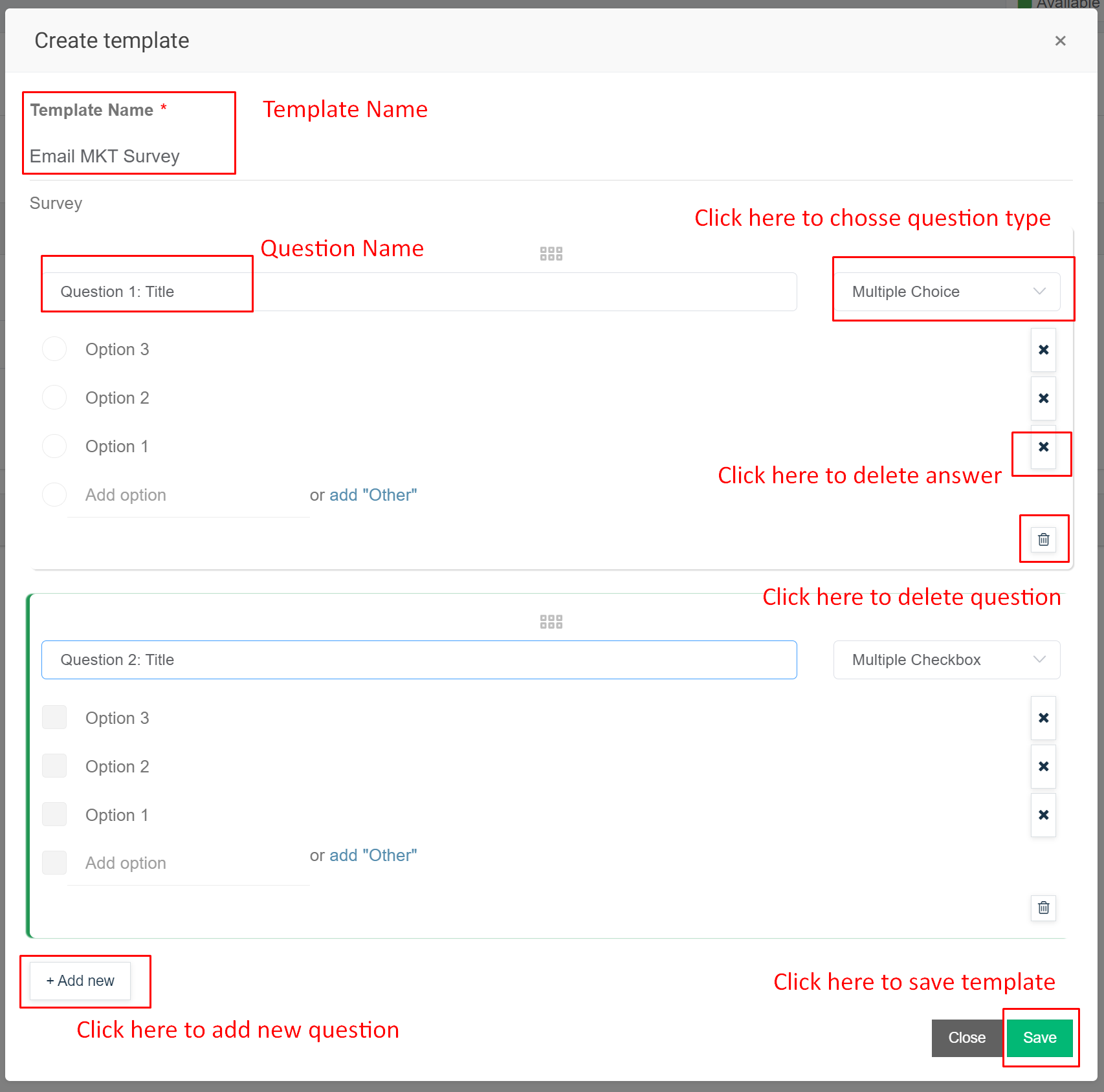
* **Step 2:** At the template creation screen, the admin enters the template name and clicks the "Add new question" button. After that, the admin continues to enter the desired questions and answers and then click Save
**Back to the template list screen, admin can copy, edit, delete the created templates**